

Core Needs: Visual comfort for prolonged work, reduced glare interference, even light on the task areas at the level the work requires
Why We Recommend This: Linear lights provide general lighting coverage across large floor areas, while panel lights suit grid ceilings where glare control for screen users matters most. For writing, reading and screen work, plan for 500 lux maintained on the task areas with lower levels around them, and let the photometric layout confirm how many fixtures that takes.
Core Needs: Multi-scene flexibility for work, meetings, and relaxation. Professional ambiance with accent lighting options.
Why We Recommend This: Downlights with dimmable controls enable flexible scene transitions between task lighting and ambient lighting modes. Modular linear lights deliver clean, professional illumination with tailored visual comfort. Flexible strip lights add accent lighting that subtly boosts spatial hierarchy and brand identity.


Core Needs: Intelligent scene switching and anti glare design for meetings, presentations, video calls, and various other modes.
Why We Recommend This: Zoned dimming panels resolve conflicts between meeting and presentation needs, and track lights put directional light on boards and displays. For faces, EN 12464-1:2021 adds a cylindrical illuminance target in meeting areas, which describes light on a face from all directions; soft side light and wall washing help reach it. Video calls also need light toward the camera on the participants' faces, which is checked with the camera itself, along with screen glare and flicker.
Core Needs: High energy efficiency and automatic sensor controls. Basic safety and comfort while achieving maximum energy savings.
Why We Recommend This: Sensor controlled lighting cuts waste in low use areas like hallways, and the edge lit panel range offers a built in microwave sensor option. Emergency and escape route lighting is its own life safety system, and sensors must not interfere with it. Flexible light strips create a cozy atmosphere in break rooms, and warmer color temperatures around 3000K to 3500K are a common choice for these spaces.

| Zone | Conditions to check | Selection direction to verify |
|---|---|---|
| Open office | Ceiling grid or open ceiling, desk layout, monitor orientation, windows, daylight changes | Panels or linear systems with suitable distributions and coordinated spacing, task and daylight control; check maintained levels and screen reflections |
| Private office | Desk and screen position, reading or detailed work, ceiling depth, user control | General light plus local task light; dimming kept apart from color change; accents kept out of the sightline |
| Meeting and video room | Camera direction, faces, displays, whiteboards, presentation scenes | Balanced light on faces and the table; narrow track accents are not face light; test camera exposure, glare and flicker |
| Reception and circulation | Wayfinding, visitor faces, security, occupancy patterns | Background and accent light, sensor zones and hold times; emergency lighting designed to its own rules |
| Break and support spaces | Use, cleaning, ceiling and environment, the actual task | Output, color quality and controls for the real task; check the CRI each space needs |


LED Panel Lights
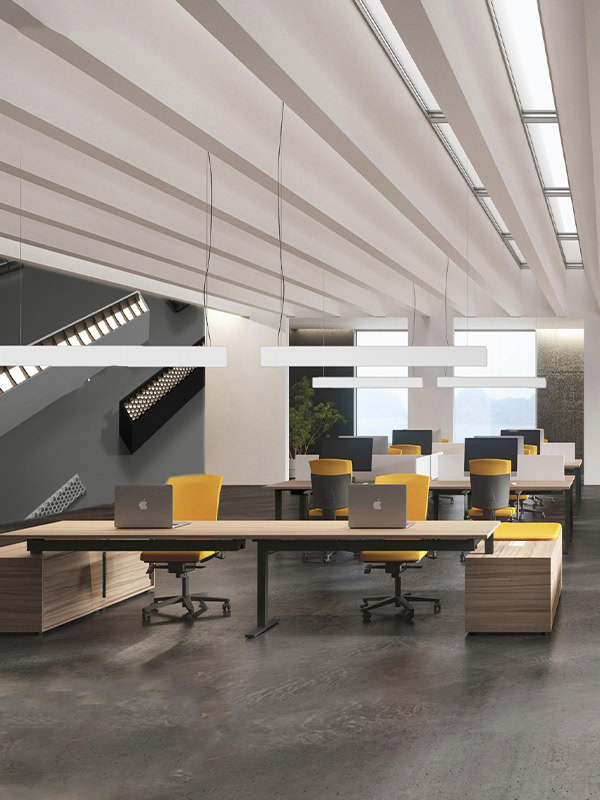
LED Linear Lights
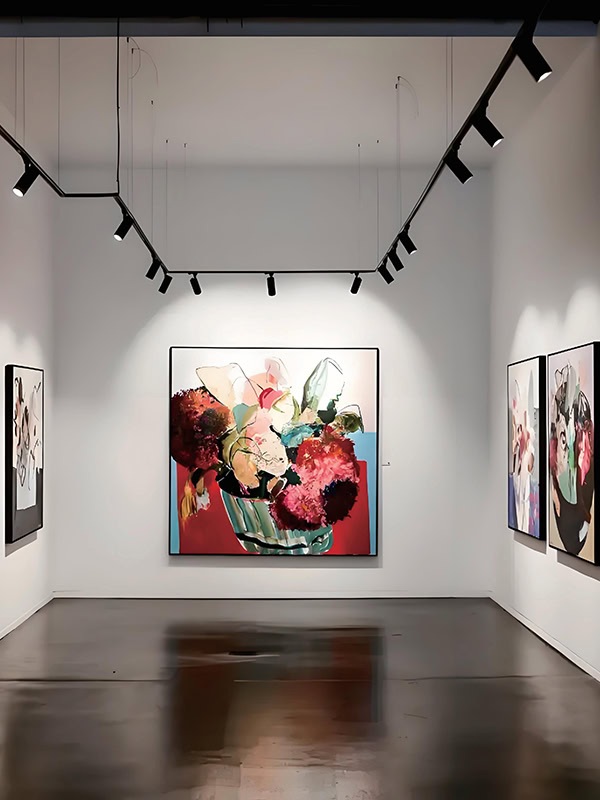
LED Track Lights

Surface Mounted Down Lights

Recessed Spot Lights

Flexible Strip Lights
LED Linear Light: L4078 Series
LED Adjustable Track Light: TZ Series
There is no single best value: work areas commonly use 4000K to 5000K, and reception and break areas often use 3000K to 3500K, depending on the project and on personal preference. Hold one color temperature within each zone unless a change is intended, and specify tunable white versions only where the light should change during the day.
Lumens describe what a fixture emits, while lux describes the light that arrives on the desk, so start from the task level and let a photometric calculation work out the fixture lumens. For writing, reading and screen work, EN 12464-1:2021 sets 500 lux maintained on the task area, about 46.5 footcandles. Room size, wall and ceiling reflectances, mounting height and the maintenance factor then decide how many fixtures, and how many lumens each, the layout needs.
UGR (Unified Glare Rating) measures discomfort glare from the luminaires in a room, and EN 12464-1 limits it to 19 for writing, reading and screen work. Lower is better. UGR is calculated for the whole layout under stated viewing conditions, so a fixture alone cannot guarantee it, and it does not cover reflections in screens. Low brightness diffusers, careful spacing, indirect light and screen positions planned against windows and fixtures are the fix for offices where the lights feel too bright.
Rated life depends on the model and its operating conditions, and datasheets usually state it as L70 or L80, the hours after which the fixture still gives 70% or 80% of its original light. It is a lumen maintenance figure, not a guarantee against failures and not a warranty period, so ask for the Lxx data and the driver lifetime at your ceiling temperature for the model quoted.
Usually, and a worked example shows how to estimate it: if an existing 4 × 18W troffer measures about 72W total input, and a 40W LED panel delivers the same maintained light on the task, the saving is 32W per fixture, or 44.4%. Note that 4 × 18W is the nominal lamp power alone, so use the measured or datasheet input of your fittings. Across 100 fixtures running 3,000 hours a year, that example saves 9,600 kWh (100 × 0.032 kW × 3,000 hours).
Yes, samples are available before a bulk order, and the sample and production lead times are confirmed in the quotation for the products, customization and quantity involved. Send the floor plan and ceiling type with the sample request so the samples match the planned layout.
Send the floor and ceiling plan, the mounting height or ceiling grid size, the tasks and screen positions, voltage and control needs, quantities and timing. We reply with suitable fixtures, a product quotation and the available technical documents.


